
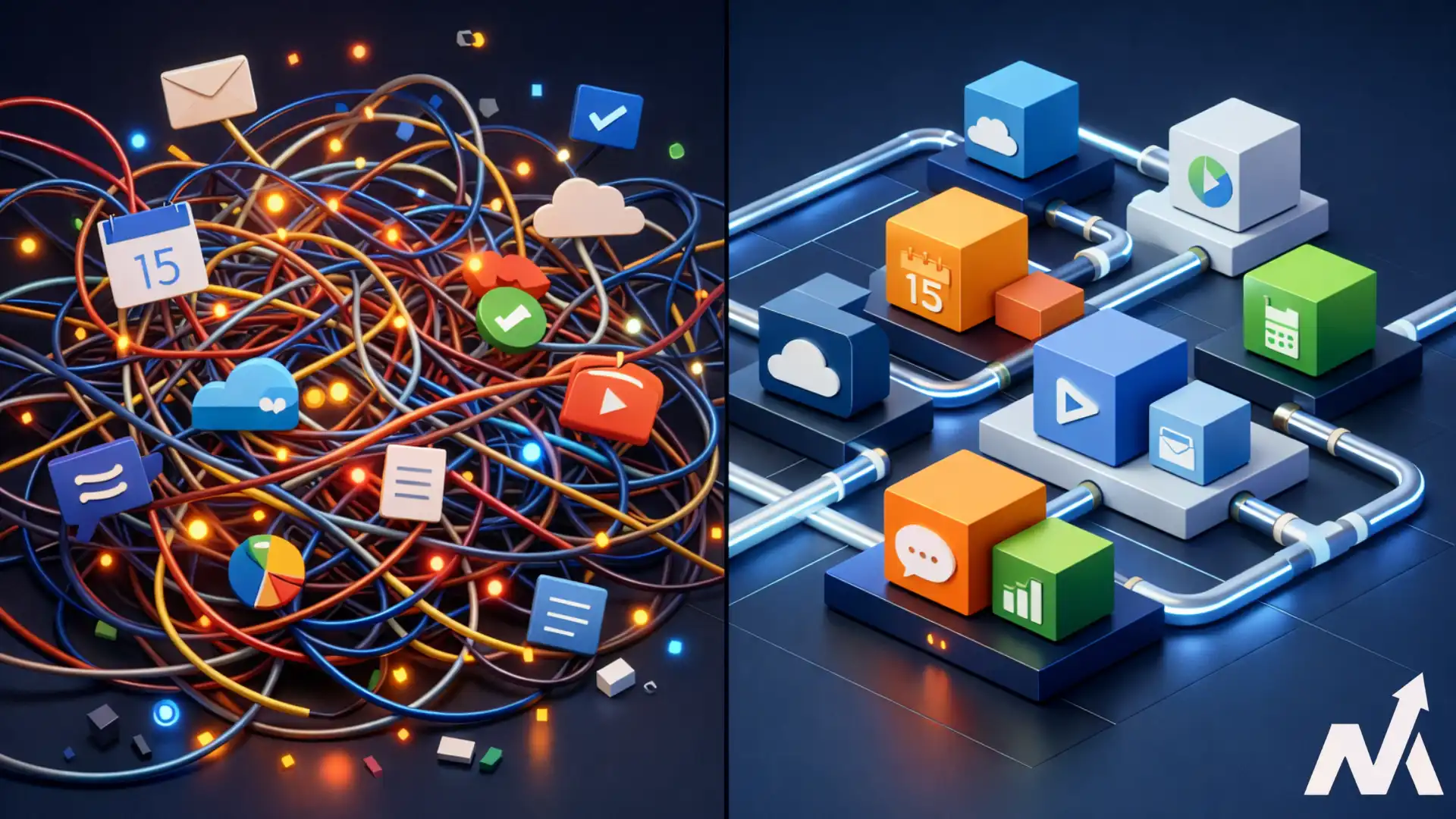

Every business automates. Few do it well. Most businesses end up with a scattered collection of one-off workflows built by different people, on different tools, with no documentation. The result is a fragile system that breaks the moment someone leaves or a platform updates.
The solution is an automation template library where a centralized hub of pre-built, tested, and documented workflows your entire team can access and deploy. Instead of building from scratch every time, you pull from a reliable set of templates that enforce consistency, reduce errors, and save hours of repetitive work each week.
In this guide, we walk you through everything you need to build one. We cover everything from structuring and documenting your templates to driving team adoption and maintaining the library long term. Whether you are just getting started with automation or looking to bring order to an existing mess, this is your roadmap.
Table of Contents
1. The Power of Standardized Automation
2. What is an Automation Template Library?
3. The Strategic Benefits of a Centralized Hub
4. How to Auto-Detect Opportunities for New Templates
5. Building Your Library Structure
6. Documenting Your Automation Components
7. Naming Conventions and Organization
8. Security and Access Control
9. Driving Team Adoption and Usage
10. Maintenance and Governance Protocols
11. Checklist: Launching Your Library
12. Conclusion: The Future of Your Workflows
The Power of Standardized Automation
Modern businesses run on repetitive digital tasks. From sending emails to syncing data between apps, these small actions consume hours of productive time every week. Most teams try to solve this by building one of the automations. While this helps in the short term, it creates a messy web of disconnected tools that eventually break.
Building a library of templates changes this dynamic. Instead of reinventing the wheel for every project, your team can pull from an organised set of reliable workflows. This approach provides a massive competitive advantage.
It allows you to move faster, reduce mistakes, and scale your operations without constant hiring of more people.
Consistency is the foundation of efficiency. When every department uses the same logic for common tasks, troubleshooting becomes simple. You no longer need to investigate how a specific person set up a workflow three years ago. The library provides the blueprint, ensuring that institutional knowledge remains within the company even if key employees leave.
What is an Automation Template Library?
An automation template library is a centralized repository of pre-built, tested, and documented workflows. Think of it as a “basic standard " for your business operations. Each template represents a standard process that can be cloned and deployed with minimal configuration.
These libraries typically live inside an automation platform like Zapier, Make, or a custom internal portal. They contain the specific steps, logic gates, and data mappings required to complete a task. By using a library, you ensure that everyone follows best practices for data security and error handling.

Components of a Template
A high quality template is more than just a functional script. It includes detailed metadata to help users understand its purpose. At its core, a template consists of the trigger event, the series of actions, and the expected output.
Documentation is equally important. A template should explain what data it needs to start and what the final result should look like. This clarity prevents users from breaking the automation during the setup phase.
The Strategic Benefits of a Centralized Hub
Having a library offers several distinct advantages over decentralized automation. First, it accelerates deployment. A task that usually takes four hours to build from scratch might only take fifteen minutes when using a template.
This speed allows your team to focus on high-level strategy rather than technical setup.
Second, it improves reliability. Every template in your library should be monitored by an administrator. This monitoring process ensures that the logic is sound and that the automation won't cause data loops or API overuses. You essentially create a "safe zone" where non-technical staff can automate their work without the risk of breaking critical systems.
Finally, it provides visibility. Leaders can see exactly which processes are automated and where limitations still exist. This bird's eye view is essential for long term operational planning. It helps you understand the return on investment for your digital transformation efforts.
How to Auto-Detect Opportunities for New Templates
You cannot automate what you haven't identified. This is where the concept of "auto-detect" becomes vital. Rather than waiting for someone to complain about a slow process, proactive teams use systems to auto-detect inefficiencies.
Monitoring Digital Footprints
Software tools can help you auto-detect repetitive actions. For example, browser extensions can track how often employees toggle between specific tabs. If a worker spends three hours a day copying data from a spreadsheet into a CRM, the system can flag this as a prime candidate for a new automation template.
Setting up internal surveys is another way to auto-detect needs. Ask your team to log any task they do more than five times a week. When multiple people report the same manual task, you have found a gap in your library.
Analyzing Communication Triggers
Communication platforms like Slack or Microsoft Teams are gold mines for discovery. You can set up bots to auto-detect phrases like "Can someone help me with this report?" or "I need to manually update the project tracker." These requests often point to missing links in your automation chain. Once you auto detect these patterns, you can build a standard template to resolve the issue forever.
Building Your Library Structure
A library is only useful if people can find what they need. A flat list of 200 automations will be ignored by most of your staff. You must build a logical hierarchy that mirrors your organization's structure.
Categorization by Department
Start by dividing templates into departmental folders. Marketing will have different needs than Finance.
- Marketing: Lead capture, social media scheduling, and email sequencing.
- Sales: CRM updates, contract generation, and follow-up reminders.
- Finance: Invoice processing, expense tracking, and payroll sync.
- HR: Onboarding checklists, feedback collection, and vacation requests.
Categorization by Function
Sometimes, it is better to organize by function rather than department. For instance, data backup templates might be used by everyone. Common functional categories include:
- Data Migration: Moving info from App A to App B.
- Notifications: Sending alerts to chat apps or SMS.
- Reporting: Compiling weekly SEO jobs or dashboards.
- File Management: Organizing cloud storage folders.
Documenting Your Automation Components
Documentation prevents the "black box" problem. If a user doesn't understand how a template works, they will be afraid to use it. Every entry in your library needs a standard documentation block.
The Summary Section
Start with a two sentence description of the template's purpose. Avoid technical jargon. Instead of saying "This script utilizes a POST request to a RESTful API," say "This template sends customer info from our website to our email marketing list."
Input and Output Requirements
List exactly what is needed to make the template work. This might include:
1. Required Accounts: Access to Salesforce and Gmail.
2. Required Fields: Customer Name, Email, and Phone Number.
3. Expected Output: A new lead record and an automated welcome email.
By clearly defining the inputs, you help the user auto detect if they have the necessary data before they start the setup. This saves time and reduces frustration.
Naming Systems and Organization
Inconsistent naming leads to confusion. You should enforce a strict naming system for every template added to the library. A good name should include the source app, the action, and the destination app.
Example: `[Marketing] - Webflow Form -> Mailchimp Subscriber`
This format allows users to search by department, source, or action. It also helps administrators during maintenance. If the Mailchimp API changes, the admin can quickly search for all templates containing "Mailchimp" to apply updates. Avoid vague names like "John’s Automation" or "New Lead Script." These mean nothing to the rest of the team.
Security and Access Control
Automation templates often handle sensitive company data. You must manage who can view, edit, or deploy these workflows. Not every employee needs access to the payroll automation templates.
Role-Based Access Control (RBAC)
Implement a system where access is granted based on job function. Managers might have permission to deploy "Sensitive" templates, while interns only see "General" templates. This layer of security protects your company from accidental data leaks.
Handling Credentials
Never use passwords or API keys into a template. Use environment variables or global connections provided by your automation platform. This ensures that if a password changes, you only have to update it in one place, rather than in every individual template.

Driving Team Adoption and Usage
A library that no one uses is a waste of resources. You must actively promote the library to your staff. Highlighting the time saved is usually the most effective motivator.
Internal Showcases
Host a monthly "Automation Spotlight" meeting. During this time, show one person using a template to solve a common problem. Let them explain how much time it saved them. Peer-to-peer recommendation is far more powerful than a mandate from the IT department.
Incentivizing Contributions
Encourage your team to suggest new templates. If someone builds a custom workflow that works well, reward them for turning it into a library template. This creates a culture of continuous improvement. The more people feel like they are contributing to the library, the more they will use it.
Maintenance and Governance Protocols
Software updates constantly. APIs change, platforms merge, and business needs shift. Your library must be a living document that evolves with your company. Without regular maintenance, templates will break, and the team will lose trust in the system.
The Quarterly Audit
Review every template in your library at least once per quarter. Check for broken links, outdated logic, or repeated steps. If a template hasn't been used in six months, consider archiving it to keep the library clean.
Version Control
When you update a template, keep a record of the previous version. This allows you to roll back changes if the new version fails. Treat your automations like code. Small changes can have large effects, so testing is mandatory before any update is pushed to the live library.

Checklist: Launching Your Library
Follow these steps to build your library from the ground up:
- Identify Tools: Choose where your library will live (e.g., Zapier, a Wiki, or an internal portal).
- Inventory Processes: List the top 10 most repetitive tasks in the company.
- Set Standards: Define your naming systems and documentation requirements.
- Build Core Templates: Create the first five "essential" templates (e.g., Onboarding, Reporting).
- Test Logic: Ensure every template works perfectly with various data inputs.
- Assign Admins: Designate 1-2 people responsible for library maintenance.
- Establish Auto-Detect Triggers: Set up systems to identify new automation needs.
- Launch and Train: Introduce the library to the team with a clear training session.
- Gather Feedback: Ask users what is missing or confusing.
- Schedule Audits: Mark the calendar for the first quarterly review.
Conclusion: The Future of Your Workflows
Building an automation template library is a significant investment of time, but the payoff is immense. It transforms your team from a group of individuals struggling with manual tasks into a synchronized machine.
By creating a central hub, you ensure that everyone has access to the best ways of working.
Your competitive advantage lies in your ability to scale. While your competitors are busy hiring more people to handle data entry, your team will be using templates to do the same work in seconds. This allows you to focus your human talent on what humans do best i.e. creative problem solving and relationship building.
Start small. Pick one department, build three templates, and watch the impact. As you use tools to auto detect more opportunities, your library will grow into a vital asset that powers your entire business. The goal is not just to automate, but to automate with intention and consistency.



0 Comments